
Free expense tracker
See where your money goes.
SpendLike is a free expense tracker that lets you log spending in seconds, set budgets that stick and keep upcoming bills in view, so everyday expenses add up to a clear picture of your finances.
Features
Everything you need to stay on top of your money
-
Track daily
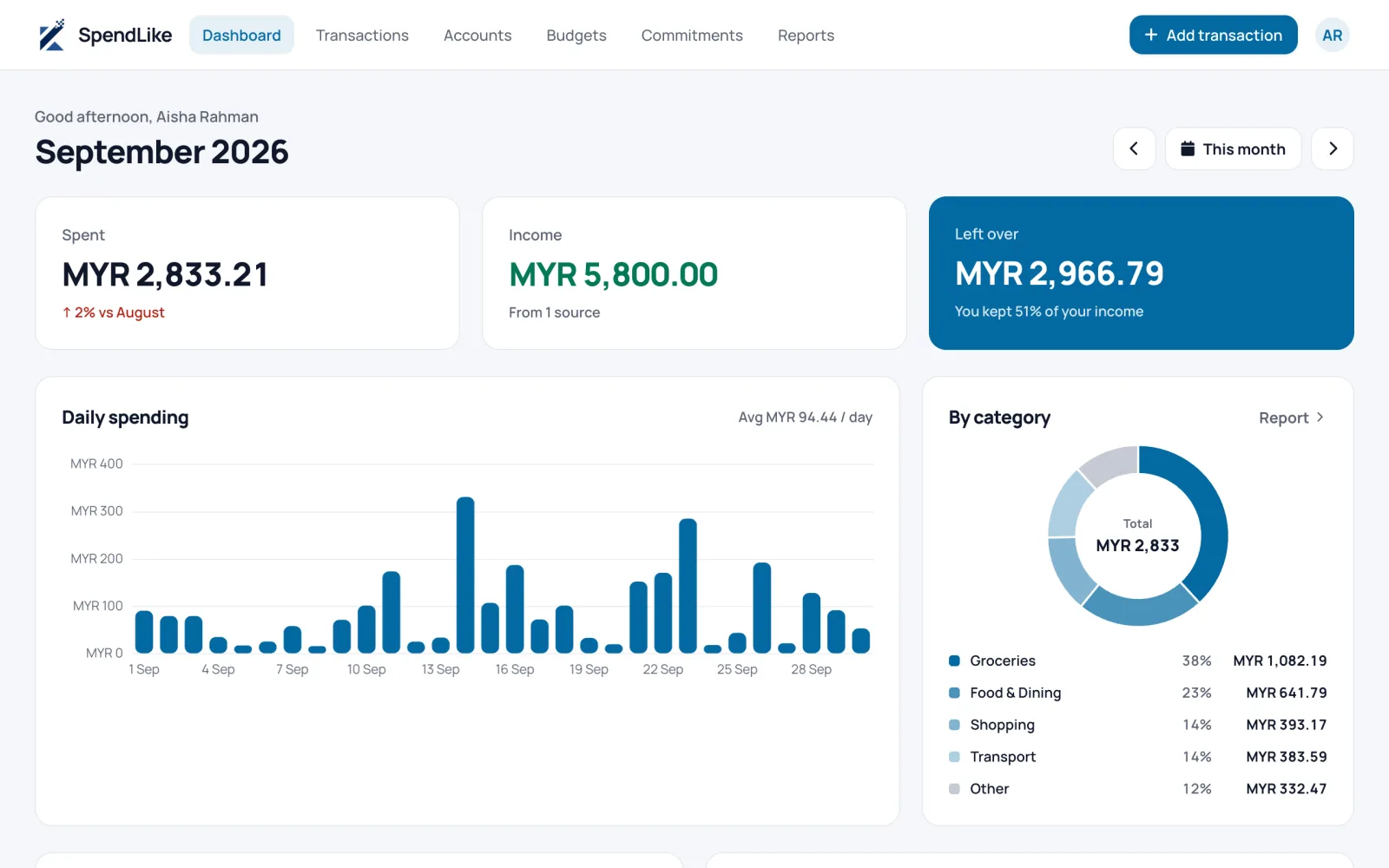
Log an expense or income in seconds and see today, this week and this month at a glance.
-
Budgets
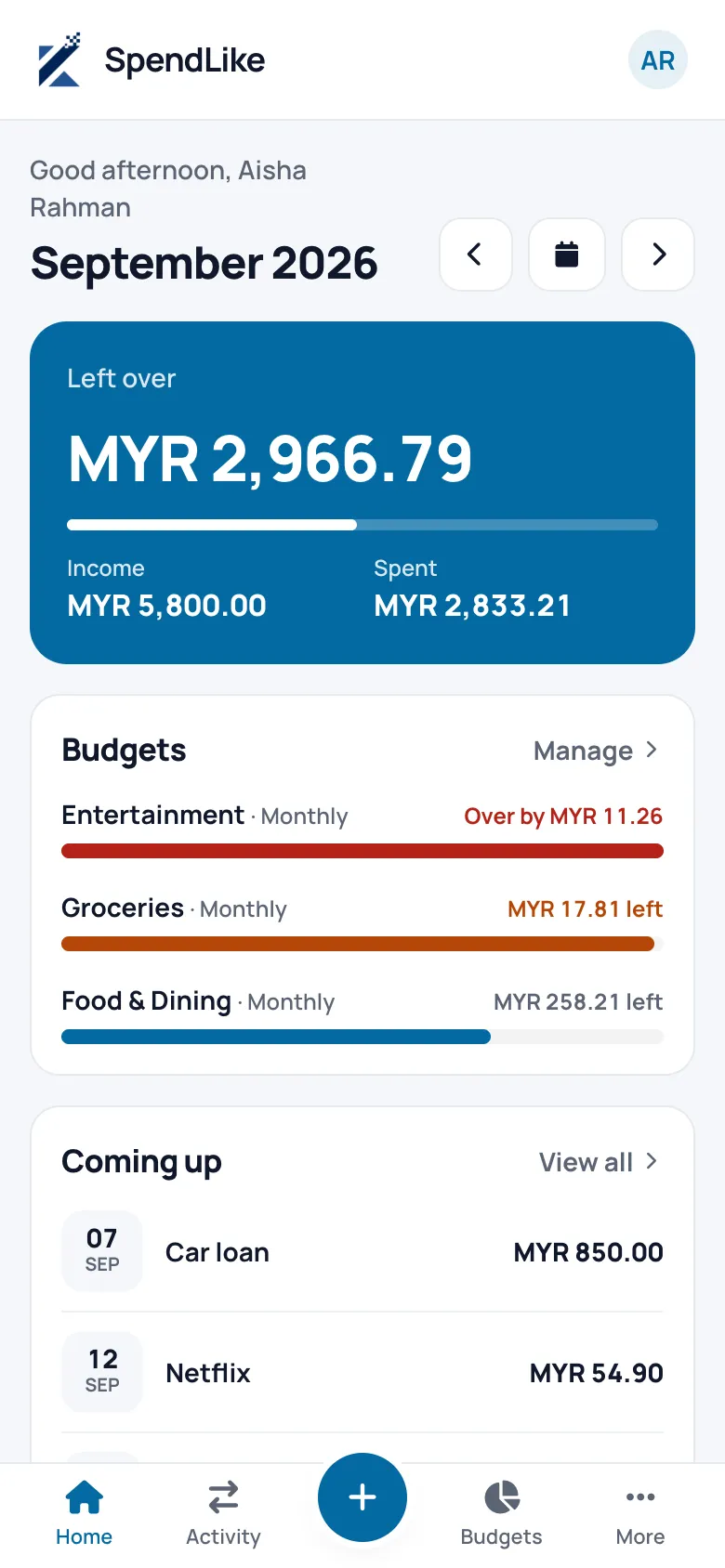
Set a limit per category and watch the progress bar before you overspend, not after.
-
Commitments
Keep loans, subscriptions and monthly bills on an upcoming timeline so nothing slips.
-
Reports
Pick any date range and break spending down by category and trend to spot patterns.
How it works
Up and running in three steps
-
Add your accounts
Cash, bank or e-wallet, each with its own currency and balance.
-
Log as you spend
Record expenses and income in a couple of taps, on your phone or desktop.
-
Review and adjust
Check budgets and reports, then tweak your plan for next month.
FAQ
Frequently asked questions
Is SpendLike free?
Yes. SpendLike is free to use. Sign up with your email and start tracking right away, with no card needed.
How do I track my daily expenses?
Add your accounts, then log each expense or income as it happens: the amount, category, account and date. Your dashboard shows today, this week and this month at a glance, so you always know where you stand.
Can I track spending in more than one currency?
Yes. Each account (cash, bank or e-wallet) has its own currency and balance, so ringgit, dollars and other currencies sit side by side. Totals are shown per currency rather than converted, and you choose which currency comes first in your preferences.
Does it work on my phone?
Yes. SpendLike runs in your browser on phone, tablet and desktop, with nothing to install. Add it to your home screen for quick, app-like access.
Can I set a budget for each category?
Yes. Set a spending limit per category and a progress bar shows how much is left, so you can slow down before you overspend.
Can I keep track of loans, subscriptions and bills?
Yes. Add them as commitments and they appear on an upcoming timeline with their due dates. You can pause or end one when it no longer applies.
Can I use SpendLike with an AI assistant like Claude?
Yes. Connect SpendLike to Claude as a connector, or with an access token, and ask it to log an expense, check a budget or summarise your spending. You decide whether it can only read or can also make changes, and you can disconnect it at any time from your profile settings.
Is my financial data private?
We don't sell your personal data or share your financial entries with advertisers, and passwords are stored only as a one-way hash. You can ask us to delete your account and records at any time. See our privacy policy for details.
Take control of your finances today
Start tracking in minutes. Your future self will thank you.